
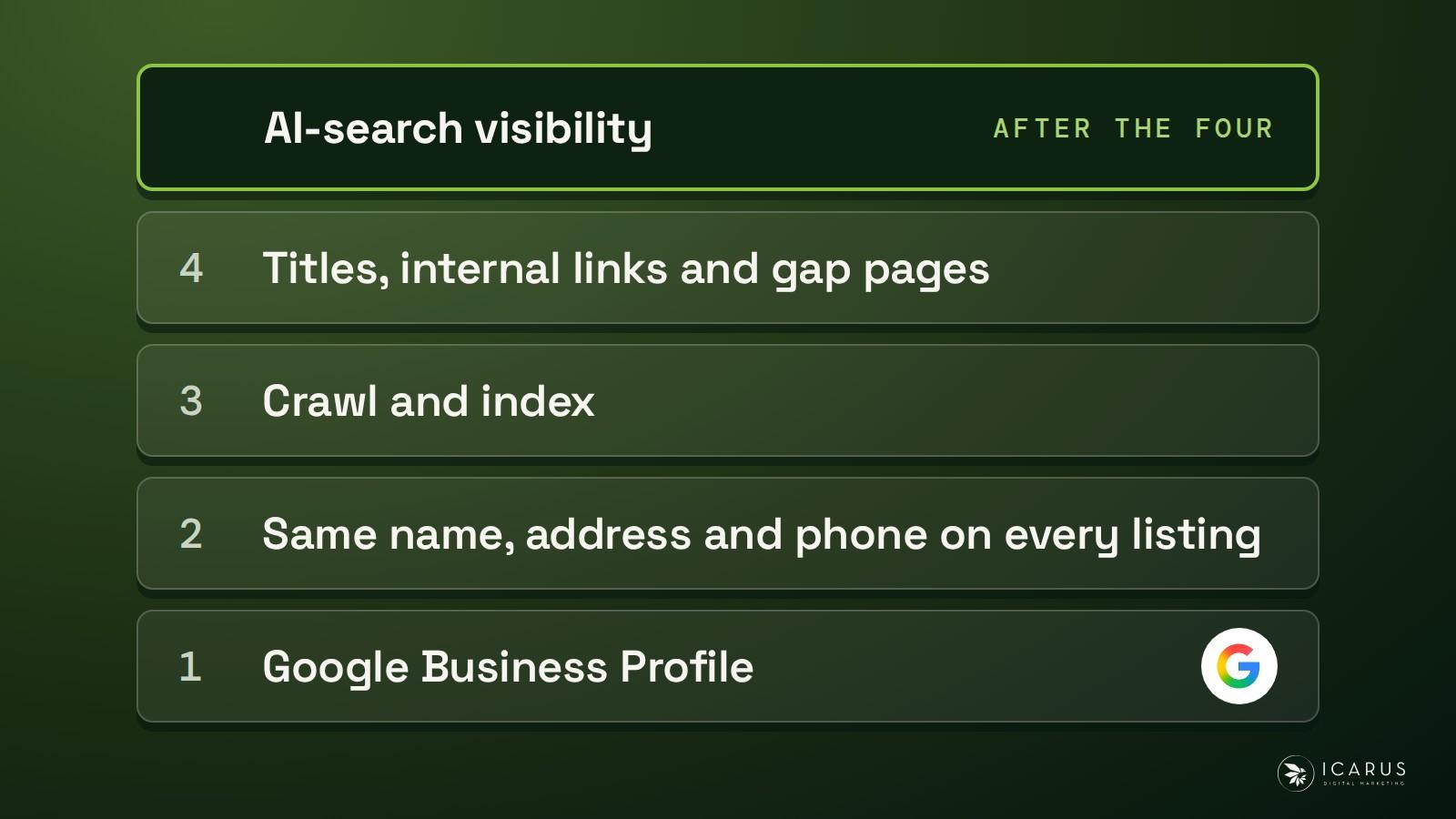
Dispensary SEO is the work that gets your store found when someone searches for a dispensary. It has four jobs, in this order: a Google Business Profile tied to a real storefront, the same name, address and phone number on every listing, a site Google can crawl and index, and pages that answer what shoppers search. The AI-search work sits on top of those four.
At Icarus we run SEO and AI search for restricted brands, and we've worked in cannabis since 2016. Google's profile guidelines name cannabis in the storefront rule, and its content rules limit offers for regulated products, so we keep the full menu on your website.
Updated 18 November 2026.
On this page
What dispensary SEO covers
| Order | Job | The question it settles | Rule behind it |
|---|---|---|---|
| 1 | Google Business Profile | Is this a real store customers can visit? | Google's Business Profile guidelines |
| 2 | Same name, address and phone on every listing | Is every mention of the store the same business? | Our listings rule, below |
| 3 | Crawl and index | Can Google read the pages that should sell? | Our day-one checks, below |
| 4 | Titles, internal links and gap pages | Does each search shoppers make have a page that answers it? | Our foundations rule, below |
| After the four | AI-search visibility | Do ChatGPT, Perplexity and Google's AI answers name the store? | Google's AI features page |
Why the base comes before AI-search work
Google says you can use the same foundational SEO practices for its AI features as for Google Search overall. A page can appear as a supporting link in AI Overviews or AI Mode only if it's indexed and eligible to show in Google Search with a snippet, and Google adds that there are no additional technical requirements (Google's AI features page).
That makes the AI work the last job. If the profile is wrong, the listings disagree or the pages aren't indexed, an AI tactic has nothing to stand on.
ChatGPT and Perplexity are different products, and Google's page doesn't speak for them. In our experience they resolve a business more easily when its name, address and category match across trusted listings, which is job two.
The four jobs run in the order in the table, and the day-one checks below come before all of them. Inside the website jobs, 3 and 4 in the table, this is the order we work in:
- Fix whatever blocks crawling and indexing.
- Fix the page titles so each page matches the search it should answer.
- Add internal links between your pages.
- Write the gap pages: the searches shoppers make that none of your pages answers.
- Add outside links last, and only for pages that need them.
Where two jobs compete, we take the one that moves the most for the hours it takes. We judge the work on clicks from Search Console and on sales, and we don't use a rank-tracker screenshot as proof of anything.
Some things people chase barely matter, and Google says so in its SEO Starter Guide:
- Google Search doesn't use the keywords meta tag.
- Repeating a keyword over and over is tiring to read and is against Google's spam policies.
- A keyword in the domain name or the URL path alone has hardly any effect beyond showing in breadcrumbs.
- The ending of your domain only matters if you're targeting one country's users, and even then it's usually a low-impact signal.
What we check before the work starts
Before the four jobs start, we look for anything that would make them pointless. If Google can't crawl a page, it can't read what the page says, however good the profile is.
- The robots tag. We read the live tag on every page that should sell, the way Google's crawler reads it.
- The sitemap. We check one has been submitted in Search Console. Google says it finds pages mainly through links from pages it has already crawled and that a sitemap isn't required, but a list of the URLs you care about is cheap to provide.
- Search Console warnings. We look for manual actions and security issues, signed in as a person.
- Bot-check pages. A bot-check page can fool a plain crawl, so we recheck anything reported as blocked using a crawler's identity.
- What Google sees from where it crawls. If your pages show different information depending on where the visitor is, Google tells you to check what its crawler sees, and it says the crawler's location is generally the US. The URL Inspection Tool in Search Console shows how Google sees a page.
- Who links to you today. We take a baseline of the sites pointing at yours, and whether any of those links hurts you.
- Whether AI answers name you. We put real buyer questions to ChatGPT, Perplexity and Google's AI answers and record the result, so the work has a starting point.
We fix nothing on your site without your yes, and we back it up first.
Your Google Business Profile: what Google lets a dispensary say
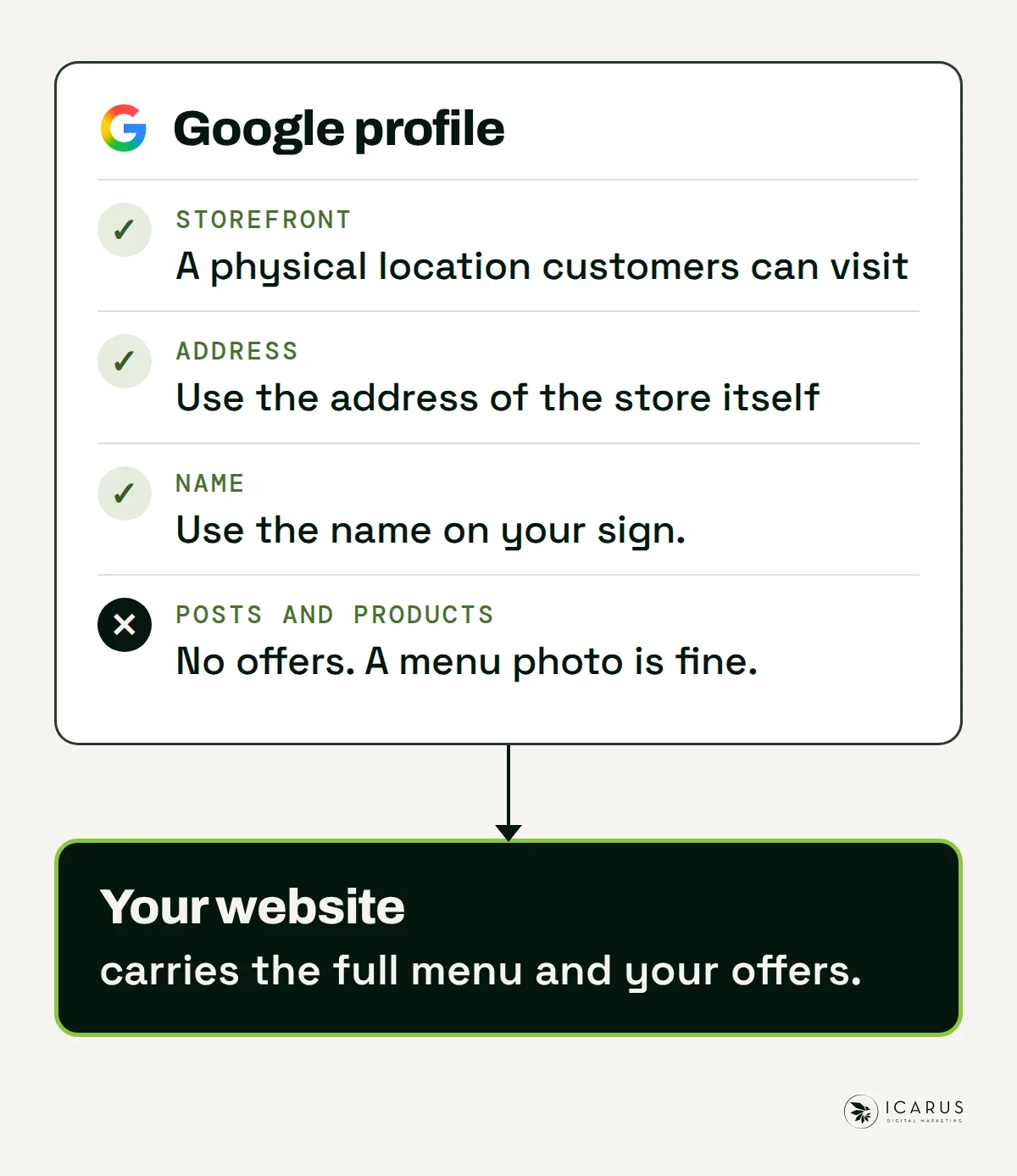
The profile is job one because it's the listing that shows on the map. Google decides who can have one, and its storefront rule names cannabis. The table sets Google's rules next to what each one means for your store. The rules come from Google's guidelines for representing your business and its prohibited and restricted content policy.
| Rule | What Google says | What it means for a dispensary |
|---|---|---|
| Storefront | A profile is for a business with a physical location customers can visit, or one that travels to customers. Businesses selling age-restricted products, cannabis among them, aren't permitted as service-area businesses without a storefront. | A delivery service has no way onto the map as a service-area business unless a storefront stands behind it. |
| Address | The address must be precise. P.O. boxes and remote mailboxes aren't acceptable. A rented mailing address you don't operate from isn't eligible. The business should keep permanent fixed signage with its name at the address. | Use the address of the store itself and check that the sign matches the name on the profile. |
| Name | The name should be your real-world name, as used on your storefront, website and stationery. | Use the name on your sign. Some marketers add keywords to the name. That's the owner's call, and a name change can trigger a fresh verification. We leave the name alone unless it's wrong. |
| Categories and profiles | Choose the fewest categories that describe your core business. Keep one profile per business. | Pick the one category that best describes the store and add few others. Never open a second profile for the same store. |
| Posts and products | Content can't carry calls to action or offers for the sale of products subject to local legal regulations. Google says its examples aren't the whole list, and that incidental depictions, such as images of menus, are excluded. Products added to a profile must follow its shopping policy, which doesn't allow content about regulated products. | Cannabis isn't named in either list. Your products are regulated by your state, so we read both rules as covering your deals and your product listings. A photo of your menu is fine. Read the pages yourself, because Google can change them. |
The profile can't carry your offers, and a menu photo is as far as it goes, so we keep the full menu and your offers on your website. Every service card and every post on the profile should link to its own matching page on your site, never to the homepage, and the page should exist before the post goes live. Google's policy bars links to a page where restricted goods can be bought, so those links go to pages that inform, such as your hours or how ordering works, and never to a product or checkout page. When the profile and the site tell the same story page by page, that agreement reads as trust. Most profiles leave their cards empty or point them all at the homepage, so this is an easy gap to close.
If you already have a profile, we manage it and optimise it. Getting manager access is an onboarding step, the same as access to Search Console. We don't create a profile for a store that has none.
Asking for reviews the way Google allows
A discount code for a review feels like a normal thank-you, and Google's policy lists incentives, such as payment, discounts and free goods or services, in exchange for a review as not allowed. The same policy says you shouldn't discourage negative reviews or selectively ask for positive ones, and that you shouldn't pressure customers to leave a review while they're in the store or ask for specific content.
What Google does allow is asking for content that represents a genuine experience, with no incentive and no attempt to steer the rating or the words.
That gives you a plain routine:
- Ask every customer, not only the ones who looked happy.
- Ask the same way each time, and offer nothing in return.
- Let customers write what they want.
Google also looks for unusual volumes or patterns of review contributions that suggest someone is manipulating a rating.
The same name, address and phone number everywhere
The second job is the listings layer. It's a one-time set of profile and directory entries that makes your store a recognised business, and the value is in the match. Most of these links are nofollow or sit on low pages, so they add little link power. What they add is your name, category, description and web address appearing the same way in many places, which lets search engines and AI models tell that these entries are one business.
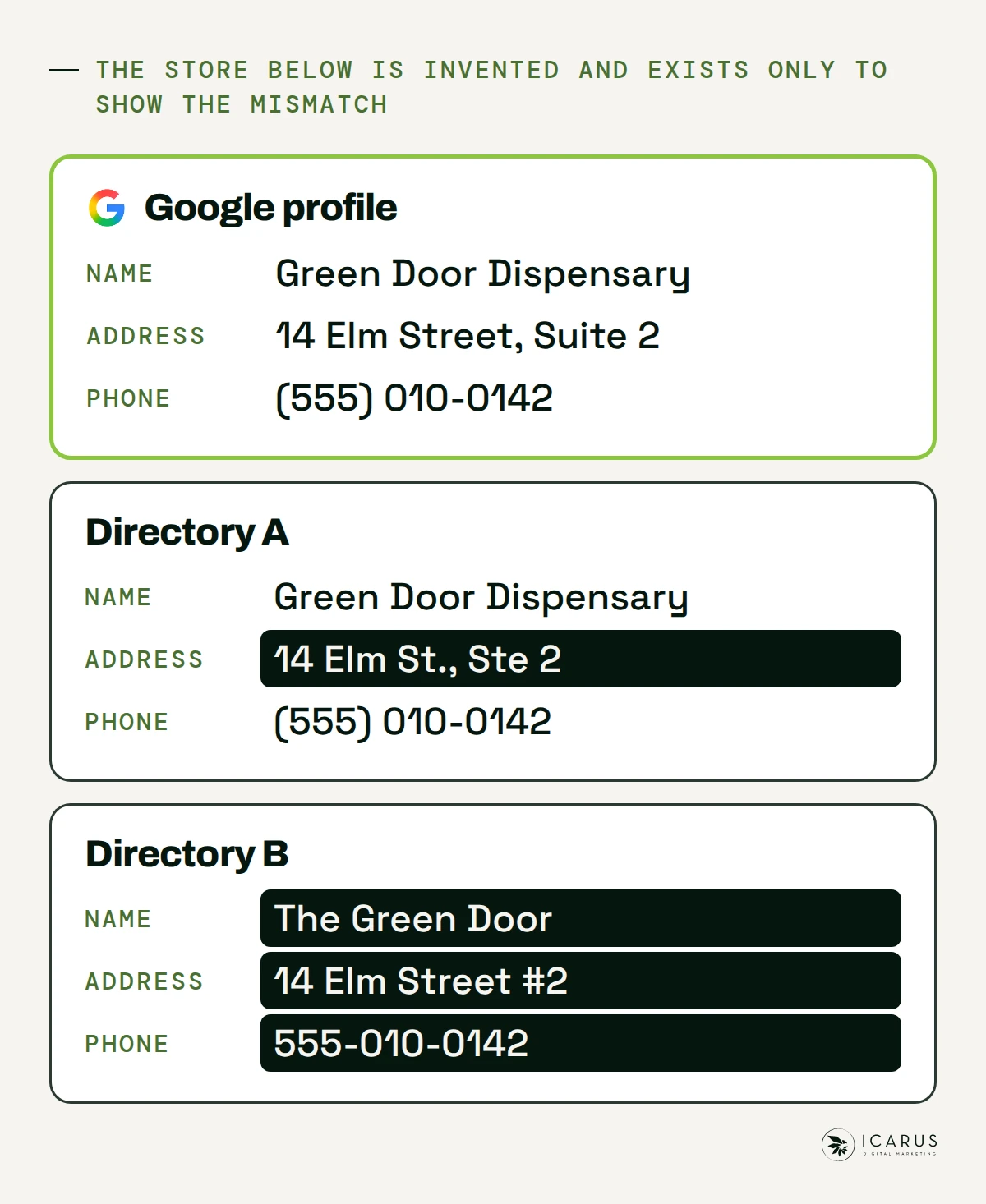
A mismatch looks like this. The store below is invented and exists only to show the mismatch:
| Listing | Name | Address | Phone |
|---|---|---|---|
| Google profile | Green Door Dispensary | 14 Elm Street, Suite 2 | (555) 010-0142 |
| Directory A | Green Door Dispensary | 14 Elm St., Ste 2 | (555) 010-0142 |
| Directory B | The Green Door | 14 Elm Street #2 | 555-010-0142 |
We write one fact sheet first: the store's name, address, phone number and what it sells. Every profile then copies the sheet word for word. Expect a good share of the work to go on fixing old listings nobody knew existed.
The rule we work to: the exact address on your live Google profile goes onto every new listing, identically. The name and address must also match the ones on your sign and your website.
The listings come in layers:
- Search platform profiles. In our view Google Business Profile, Bing Places and Apple Business Connect carry the most entity value. Each needs a real address, and you have one.
- Universal and social profiles. These are the general-purpose business and social pages that every brand can claim.
- General directories. Online-friendly directories that accept a standard business entry.
Address-based directories make sense when you have an address, and a dispensary does. We never pay for a followed link or a followed directory listing in this layer.
A listing that Google hasn't indexed adds little, so we check that the ones we place are indexed.
The listings come before the AI work because AI answer engines lean on entity signals. In our experience, a business with consistent profiles across many trusted listings is easier for them to identify and cite than one with half a dozen versions of its own name.
Your website: titles, internal links and the pages you're missing
With the profile and the listings settled, the site carries the rest. We start from Search Console, because it shows the searches people make, including local searches that keyword tools show no data for.
- Searches you nearly win. In Search Console, look for searches that matter where your average position sits between 5 and 15. Those pages are already close to the top, so fixing them comes before writing new ones.
- Pages that rank but don't get clicked. The cause is usually the title, the meta description or a heading, and it needs no new page.
- Pages gone stale. Prices, local rules and seasons change, and so do your hours and your menu details. A refresh beats a new article.
- Pages that don't exist yet. These are the gap pages, and we write them in your voice from what shoppers search.
- Links between your pages. Every informational page links on to the page that converts, so a visitor who finds an answer can reach the store page in one click.
Once per site, we also run a one-time technical setup. Sitemaps go to Bing as well as Google. We fix robots blocks, stray noindex tags and canonical tags, then Core Web Vitals (Google's measures of how fast and stable a page feels), mobile friendliness, broken links, redirect chains and pages nothing links to. We add schema markup and test it in Google's Rich Results Test. A page with no internal link pointing at it can be skipped by Google, so important pages need links.
A title should match what the shopper typed, and the page under it should answer it in plain words at the top. Put the answer first, the proof near it and a clear next step after. We test a page by asking a stranger what the store sells and what they'd do next. If they can't say, the page needs work.
Selling copy goes above the fold and the search copy sits lower down. We use at most one accordion on a page.
The questions your staff answer on the phone make good pages, such as your holiday hours and how ordering works. Each becomes a page that answers one question and links to your store page. Keep your full menu and offers on the site. This guide doesn't cover menu-page setup or your state's rules for site content.
Links from other sites
Outside links come last, and they're local ones for a store like yours. Topic relevance comes first and local relevance breaks the tie. A local link with no topic link, such as a sponsor page or a town directory, is worth about a listing, so we price it like one. In our view most local search results aren't very competitive, so we build links only where they pay back.
If you sponsor a local organisation for a link, the page about you should describe what your business does and shouldn't sell to the reader. Organisations expect that framing, and search engines may weigh it differently from a paid ad.
Why a one-store dispensary doesn't need a page per town
Plenty of local SEO advice tells you to build a page for every town around your store. For a dispensary with one store, we don't.
Google's spam policies name doorway abuse: pages created to rank for specific, similar search queries that lead people to a page that's less useful than the final destination. Its examples include pages targeted at specific regions or cities that funnel users to one page, and substantially similar pages that sit closer to search results than to a clear, browsable site structure (Google's spam policies).
A page per town with only the town name changed fits that description. Practitioners use a yardstick of at least 60 to 70 percent unique content on every location page. That's an industry rule of thumb and Google gives no number. The point it protects is a page that tells a visitor something no other page on your site does.
So a one-store dispensary gets one strong store page: the address, the hours, how to get there and what the store does. If you run more than one store, each store gets its own page with its own details. No page exists only to carry a town's name.
How the AI-search work sits on top
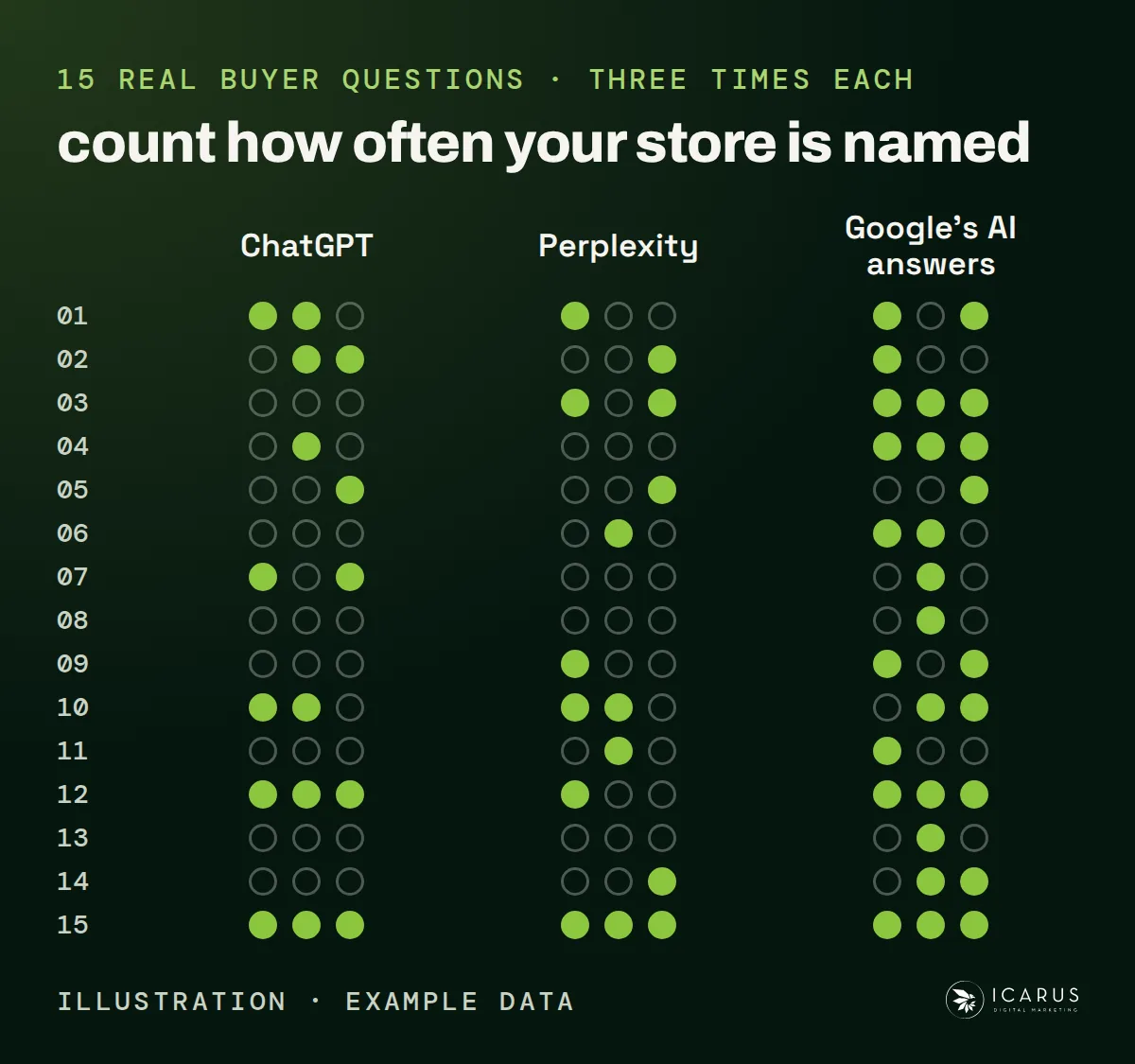
Once the base holds, the AI work is worth doing. Google says there is no special optimisation for AI Overviews and AI Mode beyond the same fundamentals. What we add on top is writing each section so it can be lifted out and make sense alone, and measuring the result.
For the measuring, we put 15 real buyer questions to ChatGPT, Perplexity and Google's AI answers, three times each, and count how often your store is named. The questions come from real demand, not from a model's guess.
A report can show you how many calls came from the map. It can't separate out the calls that came from an AI answer.
If you're also weighing ads, our guide to cannabis advertising and our cannabis industry page cover that side.
What a month of work should show you
Each month, the work should give you something to look at:
- How many of your pages are in Google.
- The searches your store shows up for.
- Which searches have reached page one.
- Whether AI answers name your store.
- The new links pointing at your site.
- The pages we placed or changed.
Use Search Console to check indexing and search performance. The repeated AI checks show how often answers name your store; the work log shows the links and pages we placed or changed. A morning check on the site catches rank drops, site faults and new pages from rivals before the next monthly report.
Questions to ask before you hire anyone for dispensary SEO
| Question | Our answer |
|---|---|
| Do I approve each article, page and link before it goes live? | Yes. Nothing goes live without your yes. |
| Can I see what was done this month? | Yes. Your dashboard has a page for the work done and a monthly report page with a month switch. |
| Where do the numbers come from? | Search Console for indexing and search performance, repeated checks for AI mentions, and our work log for completed work. |
| Who owns the accounts? | You do. We work on accounts you own, so you keep them. |
| Is there a long contract? | No. There's no long-term contract. |
How we run dispensary SEO at Icarus
Agents do the volume work: crawling, checking, drafting. People make the calls and approve what goes live, and you see the work in your own dashboard. Nothing goes live without your yes.
We don't promise a rank, a traffic number or a timeline. We tell you what we'll do first, why, and what we'd leave until later.
If you want the base built and watched by a team that's worked in cannabis since 2016, talk to us about SEO and AI search.